

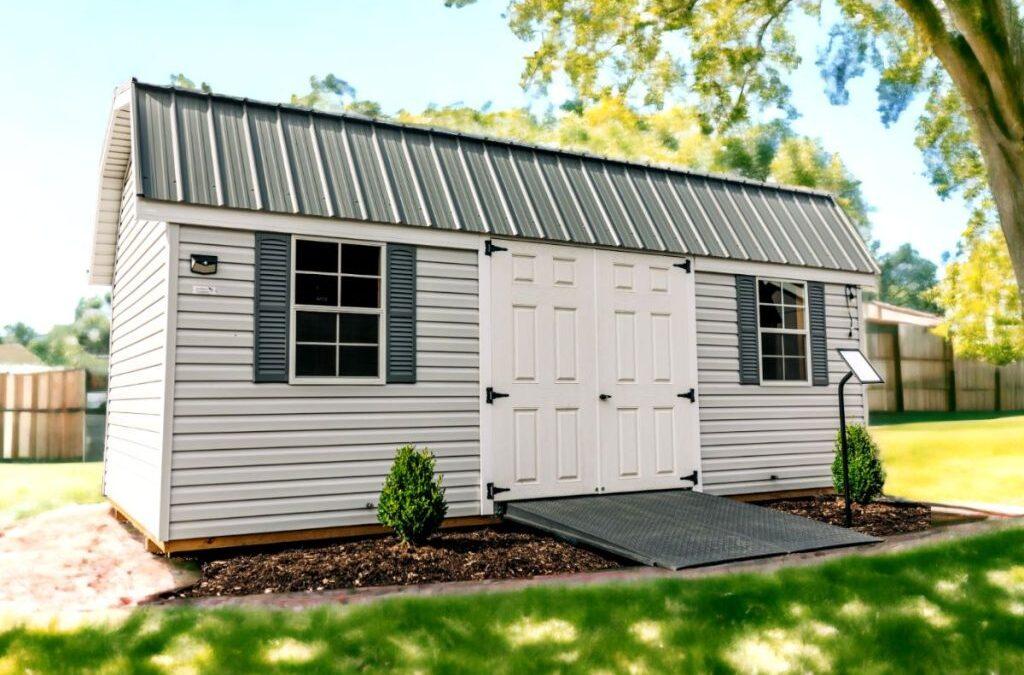
How the Shed 3D Builder Helps You Plan Before You Buy
A shed is easier to choose when you can see your ideas begin to take shape. Instead of trying to picture a building from a list of options, Pumpkin Patch Market’s Shed 3D Builder helps you explore shed styles, sizes, colors, doors, windows, storage features, and more before visiting the showroom.
From mower storage and garden supplies to workshops, pool houses, offices, and backyard retreats, the builder gives you a practical starting point for planning a custom shed or portable building that fits your property.
What Is the Shed 3D Builder?
The Shed 3D Builder is an interactive planning tool that helps you visualize a custom shed before making a final buying decision. You can begin with a shed style and size, then explore options that affect the building’s look and daily use.
The simple answer
The Shed 3D Builder helps you move from “I need a shed” to a clearer plan. You can compare styles, test sizes, explore exterior details, think through storage features, and bring a more informed idea to Pumpkin Patch Market for local help.
Choose A Starting Look
Explore a shed direction that fits your home, backyard, property, or storage purpose.
Plan Your Space
Compare building sizes based on your mower, tools, storage items, or intended use.
Test Useful Options
Think through doors, windows, vents, lofts, shelves, workbenches, and other details.
See Colors Together
Explore how roof, siding, trim, door, and window colors may work together.
Why Design a Shed Online Before You Buy?
A shed can serve many different purposes. One homeowner may need a clean place to store a mower and garden equipment. Another may be planning a workshop, pool-side changing space, hobby area, small office, or backyard retreat.
That is why it helps to explore a design before making a decision. The builder encourages you to think through the details that can affect how useful your shed feels after it is placed on your property.
| Planning Question | How The Builder Helps | Why It Matters |
|---|---|---|
| What style do I like? | Start with a shed design that matches your preferred look and intended use. | A shed that is visible from your home or patio should feel like it belongs on the property. |
| How much room do I need? | Compare sizes as you consider equipment, storage, walking room, or work areas. | A shed that is too tight can become difficult to organize and use. |
| Where should the doors go? | Explore access points based on equipment loading and everyday entry. | Door placement can affect mower access, wall storage, and interior flow. |
| Do I need windows? | See how windows change the look and function of the building. | Natural light can be useful for workshops, garden sheds, pool houses, and retreats. |
| Which colors look right? | Compare exterior color combinations before making a final choice. | Color choices can help a shed coordinate with your home, barn, or outdoor space. |
How To Use the Shed 3D Builder
You do not need a complete plan before starting. The builder works best when you begin with your main goal, then explore options step by step.
Decide What Your Shed Needs To Do
Start with the purpose. Are you storing a mower, organizing garden supplies, planning a workshop, creating a pool house, or building a backyard retreat? Your intended use should guide every decision that follows.
Choose A Shed Style And Size
Select a starting style, then explore a size that gives your equipment and storage items enough room. Think about walking space and future storage needs, not only what fits today.
Explore Siding, Roofing, And Exterior Colors
Use the design process to think about the shed as part of your property. A shed may match your home closely, complement a barn, or add its own character to a backyard living space.
Add Doors, Windows, Vents, And Decorative Details
Choose details based on access, natural light, storage layout, ventilation, and appearance. A mower shed and a backyard studio may need completely different setups.
Think Through Interior Storage And Daily Use
Consider lofts, shelving, workbenches, stairs, floor needs, and other options that may make the building more useful over time.
Bring Your Plan To Pumpkin Patch Market
Once you have a design direction, contact or visit the Middlebury or Bourbon showroom to discuss your property, intended use, available options, site questions, and next steps.
Start With Your Shed’s Purpose
A design tool is most helpful when you know what problem you are trying to solve. Before opening the builder, make a quick list of the items you want to store or the activities you want the shed to support.
Use the Builder To Compare Shed Features
One of the biggest benefits of a shed design tool is the ability to compare features visually instead of trying to imagine each choice separately. Options like doors, windows, lofts, shelves, workbenches, colors, and roofing details can change both the appearance and daily usefulness of the building.
| Feature To Explore | Helpful For | Question To Ask Yourself |
|---|---|---|
| Double Or Larger Doors | Mowers, bikes, equipment, carts, and large stored items. | Can I move my largest item in and out easily? |
| Entry Door | Workshops, pool houses, garden spaces, and frequent walk-in use. | Will I enter the shed regularly without moving equipment? |
| Windows | Natural light, workshop comfort, garden use, and exterior style. | Where will light be most useful without taking away storage wall space? |
| Loft Storage | Seasonal totes, decorations, cushions, recreation gear, and overflow items. | Which items can move overhead so the floor stays clear? |
| Workbench Or Shelving | Projects, tool organization, gardening, hobbies, and regular use. | Do I need storage only, or a space where I can work? |
| Exterior Colors | Matching the home, barn, backyard, patio, or landscaping. | Do I want the shed to blend in or become a feature? |
For more help choosing features, you can also explore Pumpkin Patch Market’s shed styles and portable buildings before beginning your design.
The Builder Helps You Have A Better Showroom Conversation
The Shed 3D Builder is a powerful starting point, but it does not replace local guidance. The best next step after exploring your ideas online is to talk through the design with the Pumpkin Patch Market team.
Bring your design idea along with photos of the shed location, measurements of larger equipment, a list of what needs to go inside, and questions about your property. That gives the showroom team a much clearer picture of the building you need.
Bring these details with your shed idea
- A list of everything you plan to store or do inside the shed.
- Measurements of your mower, workbench, cart, ATV, bikes, or other large items.
- Photos of the possible shed location and the access path leading to it.
- Your preferred shed style, size, colors, doors, windows, loft, or workbench ideas.
- Questions about site preparation, delivery access, available options, and next steps.
Start Designing Your Custom Shed Online
Use Pumpkin Patch Market’s Shed 3D Builder to explore a shed for storage, projects, gardening, equipment, pool-side use, or your own backyard idea. Once you have a direction, visit or contact the team for local help in Northern Indiana.
Visit Pumpkin Patch Market In Middlebury Or Bourbon
Designing online makes it easier to gather your ideas. Visiting a showroom helps you compare real buildings, understand interior space, look at features in person, and ask questions about the shed that fits your property.
Middlebury Store
Address: 10532 US Hwy 20, Middlebury, IN 46540
Phone: 574-825-3312
Hours: Monday to Friday 9 AM to 5 PM, Saturday 9 AM to 3 PM, closed Sunday.
Bourbon Store
Address: 10332 SR 331, Bourbon, IN 46504
Phone: 574-858-9210
Hours: Tuesday to Friday 10 AM to 5 PM, Saturday 10 AM to 2 PM, closed Sunday and Monday.
A thoughtful design gives you a better starting point. Local showroom guidance helps turn that idea into a shed that works well for your home, yard, storage routine, and future plans.
Final Takeaway
The Shed 3D Builder helps you plan before you buy by giving you a visual way to explore shed styles, sizes, exterior details, doors, windows, colors, storage features, and interior ideas. Start with your purpose, create a design direction, then bring your ideas to Pumpkin Patch Market for local help choosing the right custom shed.
Frequently Asked Questions About the Shed 3D Builder
What can I plan with the Shed 3D Builder?
You can use the Shed 3D Builder to explore shed styles, sizes, siding and roofing choices, colors, doors, windows, vents, lofts, shelves, workbenches, and other design ideas before talking with Pumpkin Patch Market.
Do I need to know exactly what I want before using the builder?
No. Start with the main purpose of your shed, such as storage, mower access, gardening, projects, pool-side use, or a backyard retreat. The builder can help you explore the details from there.
Can I use the builder for a workshop or pool house idea?
Yes. A shed can be planned for more than storage. Consider your need for doors, windows, work areas, loft storage, exterior appearance, and comfort-related questions as you explore your design.
Should I visit a showroom after designing my shed online?
A showroom visit can help you compare shed styles in person, ask questions about the design, discuss your property, and get local guidance before choosing the next step.
Where can I find Pumpkin Patch Market’s Shed 3D Builder?
You can open the online Shed 3D Builder through Pumpkin Patch Market’s shed pages or use the design button on this page to begin planning your shed.